This week’s GitHub trending page is really about what you install for an agent, not as an agent.
One repo is pure instructions — no application code — and still crossed a quarter-million stars.
The other is a browser-automation MCP server that just shipped a plugin layer. Both install in one
npx line, and both lean on the same idea that’s been spreading across the agent ecosystem this
year: package an agent’s behavior the way you’d package a library, then let a one-line installer pull
it into whatever coding assistant you happen to be running.
mattpocock/skills
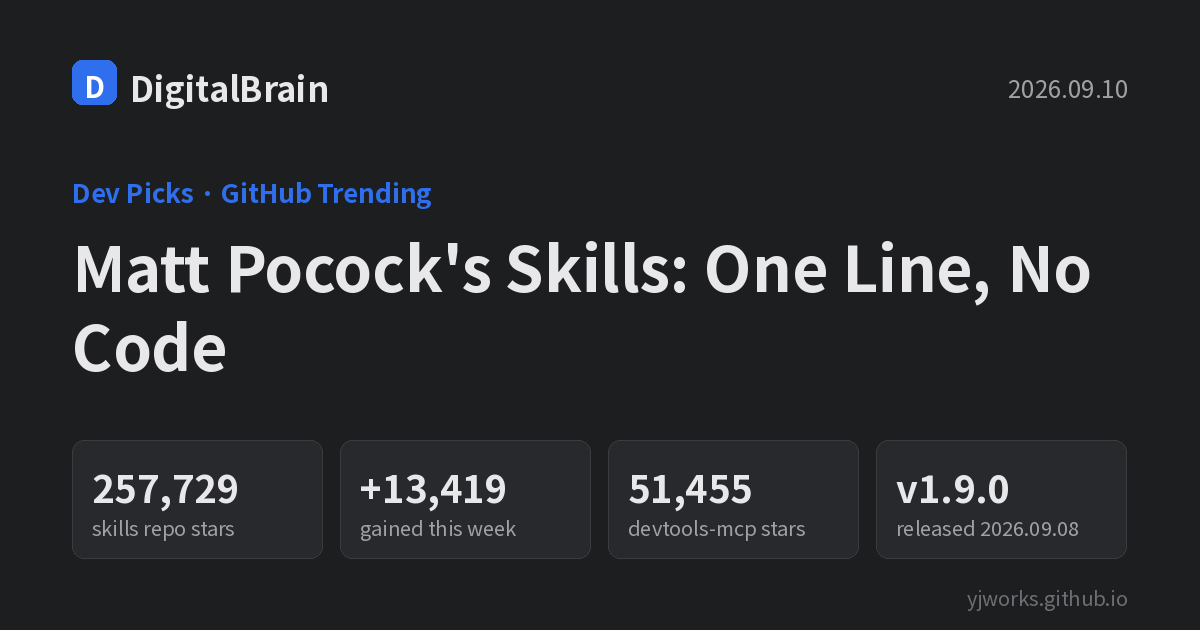
Matt Pocock, known for his TypeScript teaching, publishes this repo of agent skills — folders of instructions and scripts that AI coding agents read and follow, rather than application code. At the time of writing it sits at 257,729 stars, having gained 13,419 stars this week alone. It’s MIT-licensed; the primary distribution mechanism is a shell-based installer. No release tag was visible on the repo page, so that detail is marked TBC.
According to the README, the skills are built on real engineering experience: small, composable tools that get developers and AI agents speaking the same vocabulary, tighten code quality through feedback loops, and keep architecture consistent. They’re pitched as model-agnostic — usable with any AI model, not tied to one vendor.
Installation is the one-liner the README leads with:
# As a Claude Code plugin
claude plugins install mattpocock-skills
# or, inside a session
/plugin install mattpocock-skills

# For other agents/tools
npx skills@latest add mattpocock/skills

# After installing
/setup-matt-pocock-skills
Who it’s for: senior developers who use Claude Code or Codex daily and are tired of re-explaining code-review conventions, naming, and architecture rules in every prompt.
What makes the repo worth watching is less any single skill and more the packaging format itself. A
skill is just a folder — a markdown file of instructions plus, optionally, scripts and reference
material — that an agent can discover and load on demand instead of having the whole thing stuffed
into a system prompt. That’s a small technical idea, but distributing it through a package-manager-
style installer, with claude plugins install on one side and a generic npx skills@latest add on
the other, is what let one person’s personal conventions grow into a quarter-million-star repository
overall, with this week’s trending data alone showing another 13,419-star jump on top of that.
- Source: github.com/mattpocock/skills
ChromeDevTools/chrome-devtools-mcp
Built by the Chrome DevTools team, this is an MCP (Model Context Protocol) server that lets AI coding agents open a real Chrome browser to get performance traces, network and console debugging, and Puppeteer-based automation. It’s written in TypeScript under an Apache-2.0 license, with 51,455 stars at the time of writing (+1,014 this week).
The latest release, v1.9.0, shipped on September 8, 2026 — the day before this was checked. The release notes list an “Agent Plugins 1.0 package” and a new option to disable JavaScript-execution tools. Where Matt Pocock’s repo installs instructions, this release opens an extension slot on the tooling side.
Add it to your MCP client config:
{
  "mcpServers": {
    "chrome-devtools": {
      "command": "npx",
      "args": ["-y", "chrome-devtools-mcp@latest"]
    }
  }
}
A lighter, headless mode is also available:
{
  "mcpServers": {
    "chrome-devtools": {
      "command": "npx",
      "args": ["-y", "chrome-devtools-mcp@latest", "--slim", "--headless"]
    }
  }
}
Who it’s for: frontend and QA engineers who want an agent to open a real web app and debug performance or network issues on its own, instead of pasting console logs back and forth by hand.
The two config blocks above are the whole setup — no build step, no separate binary to manage,
because npx -y chrome-devtools-mcp@latest always pulls the current published version. The --slim --headless flags matter for CI or for running the server on a machine without a display: slim mode
trims the tool surface down to the essentials so the agent isn’t offered debugging commands it can’t
usefully call in a headless context.
Wrap-up
Both READMEs lead with a single install command — one for instructions, one for tooling — and both
landed on trending the same week. It’s worth noting this isn’t happening in just one corner of the
ecosystem: OpenAI runs its own openai/skills catalog for Codex (MIT-style per-skill licensing, an
skill-installer CLI, though that particular repo now points users to a newer OpenAI Plugins
repository instead). Anthropic, OpenAI, and now a browser-tooling project maintained by the Chrome
DevTools team are all converging on the same shape: package agent behavior — instructions or tools —
as an installable unit, and let a one-line command wire it into whichever assistant a developer
happens to run that day.
| Repo | Stars (checked) | Gained this week | License |
|---|---|---|---|
| mattpocock/skills | 257,729 | +13,419 | MIT |
| ChromeDevTools/chrome-devtools-mcp | 51,455 | +1,014 | Apache-2.0 |